Shared Mailboxes
Every email sent to info@, invoice@, or project@ must be reviewed individually, understood, and assigned manually.
A smart mailroom centrally captures scanned physical mail, emails with or without attachments, and documents from existing systems. It understands content and context, then routes each item to the right person or role or starts the appropriate business process.
With Axon Ivy Smart Mailroom, organizations can digitize mailroom operations, automate incoming mail, and orchestrate end-to-end mail processing across systems without replacing the applications they already use.
Designed for enterprises and public-sector organizations with high correspondence volumes, complex ownership structures, or cross-system downstream processes.
The challenges arise in both shared mailboxes and the physical mailroom. Emails with or without attachments and scanned physical mail must be reviewed, understood, and assigned to the right person or role, even when no clear recipient is identified.
Every email sent to info@, invoice@, or project@ must be reviewed individually, understood, and assigned manually.
Scanned physical mail must be routed reliably even when no individual or department is clearly named.
When routing depends on personal judgment, correspondence is often misdirected first and passed through multiple hands, sometimes for days or weeks.
There is no clear view of where an item is, who is working on it, or whether deadlines or service levels are at risk.
In one municipal authority serving around 60,000 residents, 20 full-time employees are dedicated solely to sorting approximately 1 million documents per year, while delivery times can extend to two weeks.
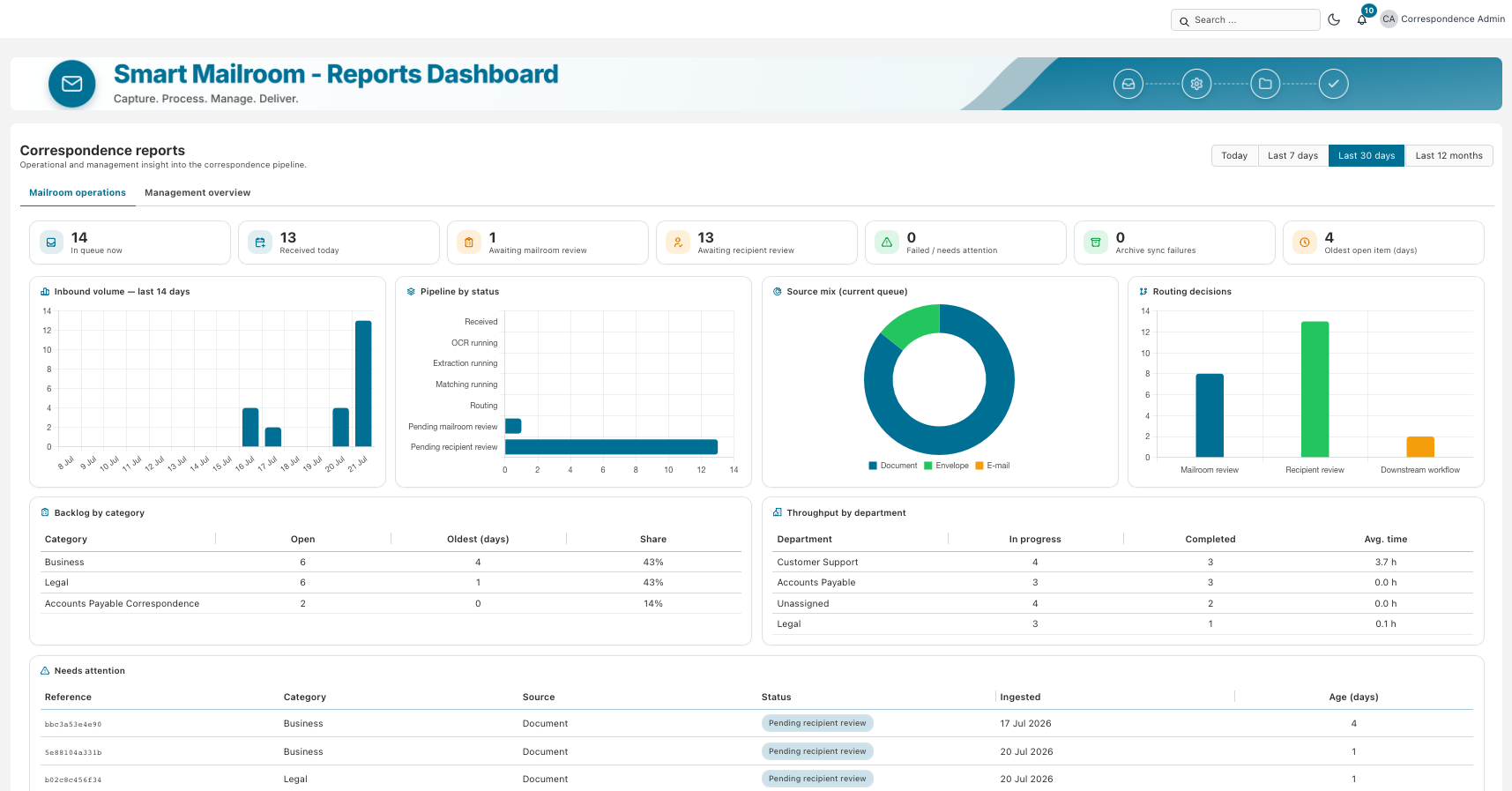
Axon Ivy Smart Mailroom brings scanned physical mail, emails with or without attachments, and documents from DMS platforms and file shares into a single orchestration layer. Content is extracted and classified, then distributed to the right person or role or moved directly into the appropriate business process. This turns incoming mail into a controlled first mile: correspondence reaches the right owner and starts the right downstream process when needed, while existing business systems remain connected.
Scanned physical mail, emails with or without attachments, DMS documents, and file shares are processed centrally.
Clear-cut cases are processed automatically. When confidence is low or a defined exception occurs, the configured role receives a task with context, a summary, and the relevant information.
Smart Mailroom distributes correspondence to the responsible person or role and starts the appropriate business process directly when needed.
Smart Mailroom combines faster delivery with controlled AI, traceable decisions, and an architecture that adapts to your existing processes.
Less manual effort for reviewing and distributing correspondence, fewer misrouted items, and fewer missed deadlines create measurable savings potential.
An adaptive rules engine replaces repetitive individual decisions and routes correspondence directly to the right destination.
Portal tasks, SLA monitoring, and automatic delegation rules keep work moving even when employees are unavailable.
Preconfigured best-practice components can be adapted to existing systems, roles, and exception scenarios.
Decisions and handoffs are logged, searchable, and exportable for audits.
You retain the freedom to choose the LLM. Rules, confidence scores, and human-in-the-loop review preserve human decision authority.
Scanned physical mail, emails with or without attachments, and documents from DMS platforms, file shares, and shared mailboxes are brought together centrally.
Relevant data is extracted, content is classified, and each item receives a confidence score.
Rules, master data, and responsibilities determine the right person, role, storage location, or next process step.
When confidence is low or a defined exception occurs, the configured role reviews the assignment.
The document is filed according to its type in the designated DMS, business system, or archive.
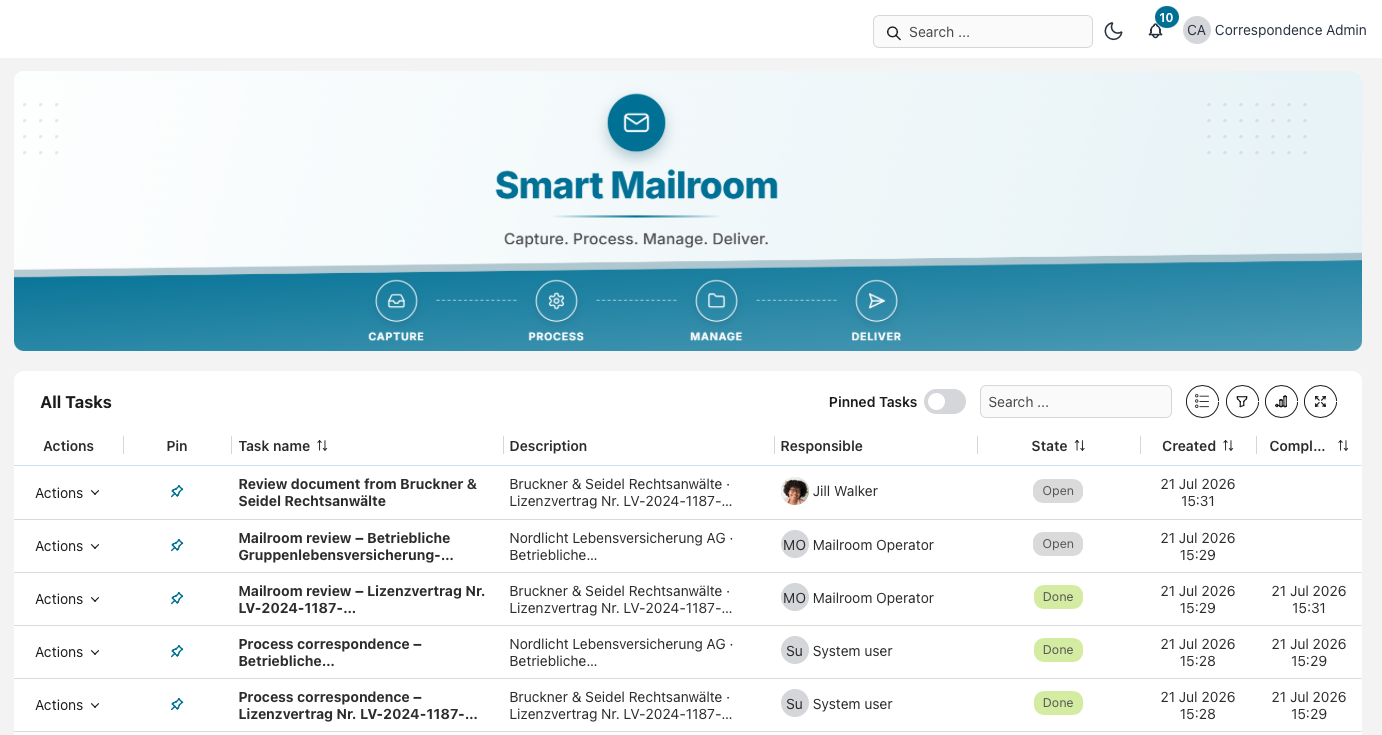
The responsible person or role receives a task with a summary and context, or the appropriate downstream process starts directly.
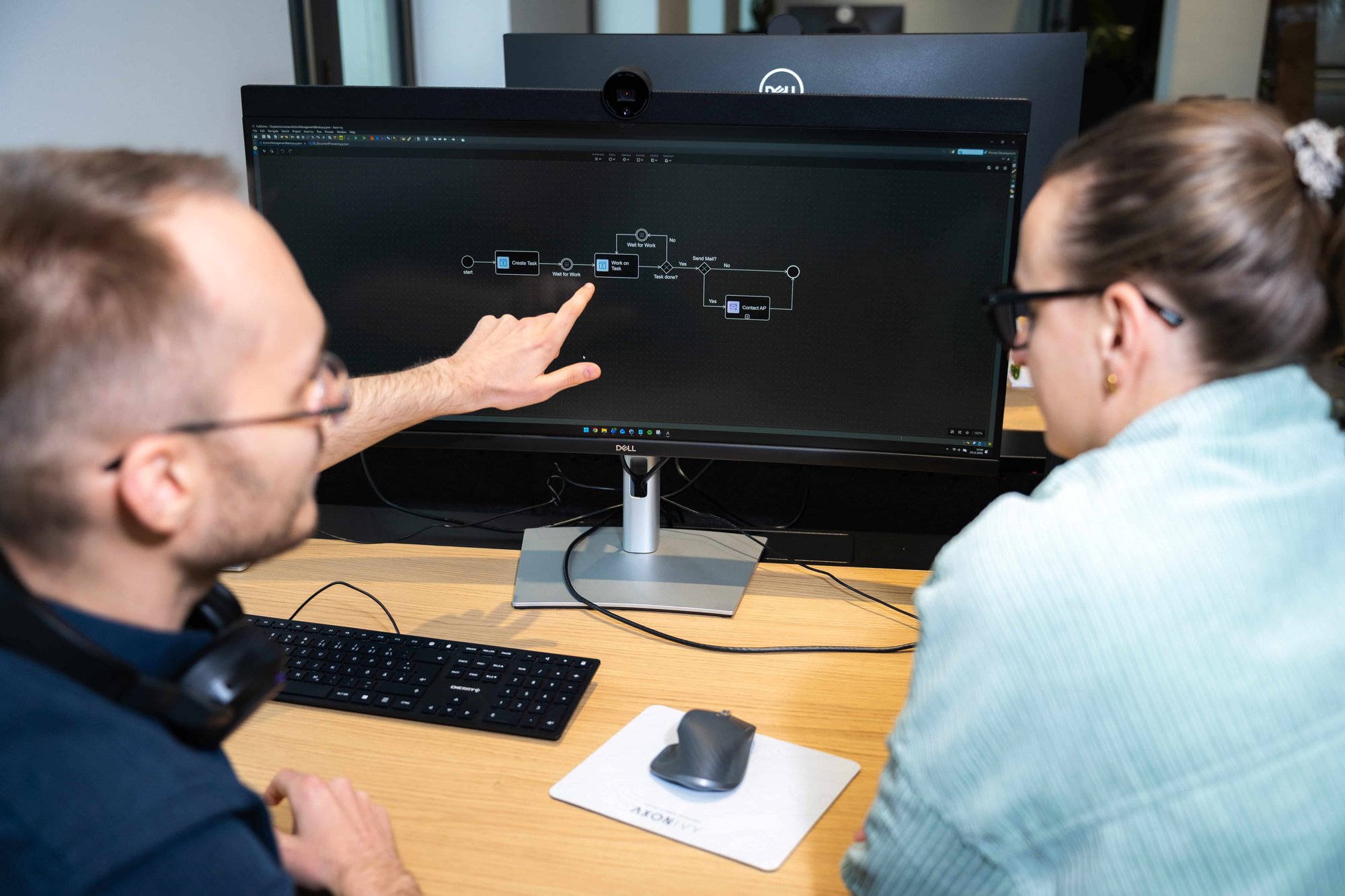
Using practical examples, our experts show how Smart Mailroom recognizes incoming correspondence, routes it to the right person or role, and starts the appropriate downstream process when needed. The session goes beyond a standard product walkthrough: together, we look at how your intake channels, ownership rules, and downstream processes could be mapped in Smart Mailroom.

Claudia MimusBusiness Development, Axon Ivy AG
We will be happy to show you in a personalized demo how Smart Mailroom works and how it fits your organization's processes and requirements.
Smart Mailroom is not an isolated inbox. The same orchestration layer can route correspondence to the right person or role or move it into different business processes.
Invoice intake, accounts payable, expenses, contracts, and KYC documents.
Customer inquiries, returns, complaints, and service-related correspondence.
Incoming contracts, terminations, deadlines, supporting documents, and sensitive documents.
Employee records, applications, citizen correspondence, requests, and approvals.
Invoices from email, e-invoicing platforms, scans, supplier portals, or physical mail are automatically identified, matched with supplier and purchase order data, and routed into the appropriate approval, clarification, or booking workflow. Only exceptions require manual intervention.

Reveal hidden costs between invoice receipt and processing, and estimate the savings potential of a more orchestrated invoice workflow.
Calculate SavingsFor example, defined approvals, escalations, delegation rules, or exception scenarios.
Rules use content, document type, and responsibility to determine which role or person receives an item.
Employees can configure permitted assignments and preferences within the higher-level rules.
Where is correspondence getting stuck, and which items are at risk of missing deadlines?
Which cases require manual review?
Why did the AI make a particular decision? Which decision was made, when, and by whom? Logs remain searchable and exportable.
Which channels and document types generate the highest volume?
Many solutions capture and archive documents. The critical gap lies between intake and action: Who decides which person or role is responsible, who handles what and when, and which downstream process should start?
Enterprise architecture for regulated environments, with flexible deployment, controlled decision-making, and end-to-end traceability.
Deploy in the cloud, on premises, or in a hybrid model. You can select and replace the LLM that fits your requirements. Because Smart Mailroom is system-agnostic and independent of any specific DMS or LLM, your existing DMS, ERP, CRM, and other business applications can remain in place.
Role-based permissions determine who can view or edit content. Rules and confidence scores automate clear-cut cases. When a case requires judgment, human-in-the-loop review routes it to the appropriate person, preserving human decision authority.
AI decisions, human interventions, and handoffs are logged from intake through action. The audit trail remains searchable and exportable. Axon Ivy is ISO 27001 certified, and Smart Mailroom can be configured and deployed to support your organization's GDPR requirements.
Axon Ivy does not see the content of your documents.
Smart Mailroom does not have to be built from scratch, nor is it a rigid off-the-shelf solution. Preconfigured components accelerate deployment and enable implementation in weeks rather than months. Individual adjustments are made wherever your processes and system landscape have specific requirements.
Proven components accelerate time to value. No project starts from scratch.
Adapts to the real processes and systems within your organization wherever it matters most.
.jpg)
Mailroom solutions address different parts of the document journey. Some focus on capture and storage, while others specialize in extraction or document management. The key question is whether those capabilities continue into a controlled, end-to-end process.
Capture, extraction, and archiving are only the starting point. Smart Mailroom continues into controlled work and downstream processes.
The right person or role receives a task with a summary, relevant information, and a clearly defined next action.
Rules, exceptions, SLAs, and handoffs are orchestrated across existing DMS, ERP, CRM, and business applications.
Status labels: Available = included in the solution · Usually Available = generally available in this solution category · Partly Available = available in some solutions or configurations · Not Available = generally not part of this solution approach
| Criterion | Mail DigitizationDigital Mailroom | IDP / Capture SolutionRecognition and Extraction | DMS-Centric ApproachDocuments and Archive | Axon Ivy Smart MailroomProcess Orchestration |
|---|---|---|---|---|
| Overview | Digitizes and sorts incoming mail. Usually ends with storage or simple forwarding. |
Reads and extracts document content. OCR, classification, and data extraction. |
Stores documents within a document platform. Archiving, records, and document-centric workflows. |
Automates incoming mail and turns it into the starting point for business processes. Connects classification, extraction, distribution, tasks, and downstream processes. |
| Capture of Mail, Scans, Email, and Additional Channels | Usually Available Focused on standard mail and email channels. |
Usually Available Usually document- and upload-centric. |
Usually Available Closely tied to archives, records, and document storage. |
Available Mail, scans, email, DMS content, and any additional channels can be connected flexibly as process inputs. |
| AI-Based Classification | Partly Available Depends on product scope. |
Usually Available A central capability of many IDP solutions. |
Partly Available Centered on documents and repositories. |
Available Classification continues directly into tasks and downstream processes. |
| Human-in-the-Loop Review | Partly Available Usually manual clarification or forwarding. |
Usually Available Review and correction of recognition and extraction results. |
Partly Available Approvals or clarifications within the document context. |
Available Tasks, decisions, and approvals include context, a clear next action, and complete traceability. |
| Distribution Based on Business Rules | Partly Available Distributes items to individuals, groups, or storage locations without a comprehensive or self-automating rules framework. |
Partly Available Simple rules or transfer to downstream systems. |
Partly Available Rules usually remain within a document or record context. |
Available Rules determine ownership, tasks, escalations, and downstream processes and update automatically when conditions change. |
| Process Orchestration and Direct Process Launch | Not Available No process focus. Usually ends after capture. |
Partly Available Process logic usually resides in downstream systems. |
Partly Available Document- and record-centric workflows without cross-system orchestration. |
Available Orchestration is at the core. Capture directly triggers controlled business processes across existing systems. |
| Integration of Existing Systems | Partly Available Integrations vary by solution. |
Partly Available Integrations vary by solution. |
Vendor-Dependent Integrations are typically tied to the respective DMS or content platform. |
Available Flexibly orchestrates and integrates the systems already in use, including DMS, ERP, CRM, and line-of-business applications. |
| Deployment | Mostly Cloud Mostly cloud-based. |
Vendor-Dependent Cloud, on premises, or hybrid, depending on the vendor. |
Vendor-Dependent Cloud, on premises, or hybrid, depending on the vendor. |
Flexible Cloud, on premises, or hybrid. |
Mail digitization, IDP, and DMS solutions capture, extract, or manage documents.
Process orchestration ensures that correspondence reaches the right person or role and starts the appropriate downstream process when needed.
Note: This overview shows common solution approaches in the market. Specific capabilities may vary by vendor, product scope, and project context.
Concise answers to key questions about functionality, integration, AI, deployment, and use cases.
A Smart Mailroom is an intelligent digital mailroom that captures, understands, and assigns correspondence, then routes it to the right person or role or moves it into the appropriate business process. Scanned physical mail, emails with or without attachments, and digital documents are processed centrally, routed according to rules, and continued as a task or process step.
Axon Ivy Smart Mailroom captures incoming correspondence, extracts relevant information, classifies the content, and determines the right destination or next work step. Clear-cut cases are routed automatically to a person, role, storage location, or business process. When confidence is low or a defined exception occurs, the configured role receives a task with a summary and context for review.
Mail digitization captures and sorts incoming mail and often ends with storage or simple forwarding, while IDP primarily recognizes and extracts content. Axon Ivy combines these capabilities with rules-based distribution to people and roles, human-in-the-loop review, task management, and process orchestration across multiple systems.
Smart Mailroom brings scanned physical mail and digital intake channels together in a single orchestration layer. These include scanned physical mail, emails with or without attachments, shared mailboxes, DMS uploads, file shares, and connected cloud storage.
When confidence is too low, the item does not proceed automatically. A human-in-the-loop step presents the case to the configured role with a summary, context, and the AI recommendation. The decision can then be documented and used to improve future rules.
Yes. Smart Mailroom is designed to connect existing systems, not replace them across the board. Documents, data, tasks, and status information can be orchestrated across DMS, ERP, CRM, and other business systems.
Axon Ivy supports cloud, on-premises, and hybrid deployment models. The specific architecture depends on security requirements, the existing IT landscape, and the preferred integration model.
Smart Mailroom is a strong fit wherever large volumes of documents or emails must be reviewed and distributed manually, or where incoming correspondence triggers a business process. Common examples include central mailrooms and shared mailboxes, invoice processing, procurement, customer service, HR, Legal, Compliance, and public administration. Correspondence can be routed to a person or role or moved directly into an existing business process.
The demo shows the path from incoming correspondence to the right person, role, or downstream process. It includes classification, confidence scoring, human-in-the-loop review, rule-based routing, tasks with summaries and context, Portal tasks, and the audit trail.
Axon Ivy Smart Mailroom brings scanned physical mail, emails with or without attachments, and documents from existing systems into one controlled flow. It understands content and context, then routes correspondence to the right person or role or starts the appropriate business process. Controlled AI, human-in-the-loop review, and a continuous audit trail keep decisions transparent and under your control.